
Borrowing at the library
Information about placing holds, borrowing and returning items, and borrowing charges.

FAQ
-
Christchurch City Councillors voted to take away charges for overdue items and wipe all historical debt relating to fines. Christchurch City Libraries became fine free on Tuesday 1 March 2022.
Read our news article to find out more about the removal of library fines, and the Newsline article Council votes to end fines for overdue library items.
-
Here is how you can pay outstanding charges on your library account:
At the library
- You can pay EFTPOS (credit or debit), or Pharos credit at one of our staffed customer service desks.
- You can pay with EFTPOS (credit or debit), or Pharos credit at one of our self-check kiosks
On the phone
- You can call 03-941-7923 to pay using a Visa, MasterCard or debit card.
- You can also pay using Pharos credit over the phone.
Online banking
Online payments should be made to:
- Bank account number: 02-0800-0044765-03
- Select CHRISTCHURCH CITY COUNCIL
- Please add your name (in Particulars) and your library card number H……. (in Reference)
Note: Payments made by internet banking may take a few days to clear on your library account
See also:
-
We will email you 3 days before an item is due, and:
- We will send you an email 7 and 21 days after the item/s due date
- We will send you an email 7 days after a bill of $2 or more is owed in charges
- We will email you 7 days after a bill is created if the amount owing is $2 or more
- If the amount owing is $20 or more, and we have your mobile phone number, we will also text you 14 days after the charge is incurred
- We will post you an invoice 28 days after a bill is created, if the amount owing is $20 or more
- If the amount owing is $25 or more, and we have your mobile phone number, we will also text you 35 days after the charge is incurred
- Any outstanding bills will be sent to debt collection 49 days after a bill is created, if the amount owing is $25 or more. At this time, the cost of sending the bill to debt collection will be added to the bill.
Blocked cards
A blocked or barred card means you won’t be able to borrow items, place holds, or use eResources. It will be blocked until the overdue items are returned and any charges are paid.
Your library card will be blocked if:- Some of your items were returned 28 days or more overdue. When you returned the items, the system automatically reversed the charges. However, the bar needs to be removed manually by a library staff member.
- You have some items that are 28 days or more overdue.
- You owe $30 or more in unpaid charges.
- You owe any unpaid charges for 21 days or longer.
- Your card has not been used for some years.
- Your contact details are no longer correct or are incomplete and we are unable to contact you.
Contact us
If you have any queries about any unpaid bills, please phone the library at 941-7923.
-
The Fees page displays a list of messages from your library, including library charges.
A coloured indicator at the top of the Fees page displays any money owed.
The default sort order is by date. You can also sort the list by amount or title.
Note: The content on the Fees page is visible only to you. Please consult our Privacy Statement to learn more about how your library protects your private information. There’s a link to the Privacy Policy at the bottom of every page.
-
Yes, library charges can be paid over the phone. This service is for debit or credit card (Visa and Mastercard) payments.
Locating items
Use the catalogue to find out what is available in our libraries.
If you are not sure how to find the item, please ask at one of our desks or our guide to the Dewey Classification System might help.
StackMap helps you find items in Tūranga. When you have found the item in the catalogue, click on the link to view location availability and then on the link to Shelf map to see where in Tūranga the item is. The map shows the location and lists the shelf number. If the item is not in the library, no link to a shelf map will display. StackMap also provides floor plans of Tūranga.
If you need an item that we do not have, it may be possible to borrow it from another library in New Zealand or buy it for our collection.
Placing holds
If an item is out, you can place a hold on it.
You can place a hold on an item using a computer in a library or via the internet. You may also phone in your hold, or ask a librarian at any of the desks to place it for you.
When a hold becomes available for you, we will send you an email. You may also choose to use the Library Elf service to be notified of holds.
If you don’t have an email address, you can check your account on the library website or on the CCL Mobile app. Alternatively, our friendly FingerTip librarians are happy to answer your queries over the phone.
The hold limit for all customers is 20. See our membership categories page for more information.
To place a hold yourself:
- Search for the item in the catalogue and go to its full record.
- Click the Place Hold button.
- You will be asked for your username or library card number and your library password or PIN unless you are already logged in.
Borrowing
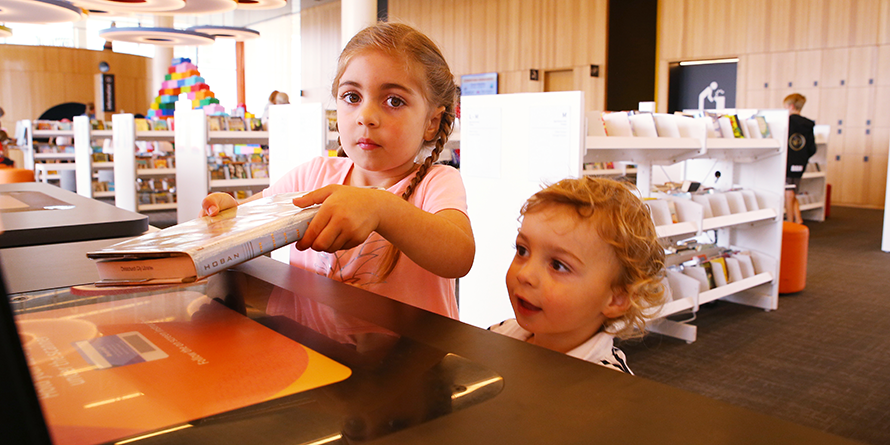
Items are issued at either our service desks or you can use the self issue machines.
At any time you can check what you have out and when it’s due back by using the My Account feature in our catalogue. You may also choose to use third party services to be notified of holds and items due.
- The maximum numbers of items that adult, youth, concession and corporate members may have on loan is 30 items.
- Items can be renewed once (either via phone, in the library or online). Items will be renewed for the original loan period.
- If you renew a Bestseller, it will incur the same cost.
- If another customer is waiting for the item the item will not be able to be renewed.
Loans
Items are borrowed for the following times, depending on type:
- Bestseller items, DVDs, Standards - 7 days
- Magazines, DVD sets - 14 days
- All other items e.g. books, CDs, audiobooks - 28 days
Returning items
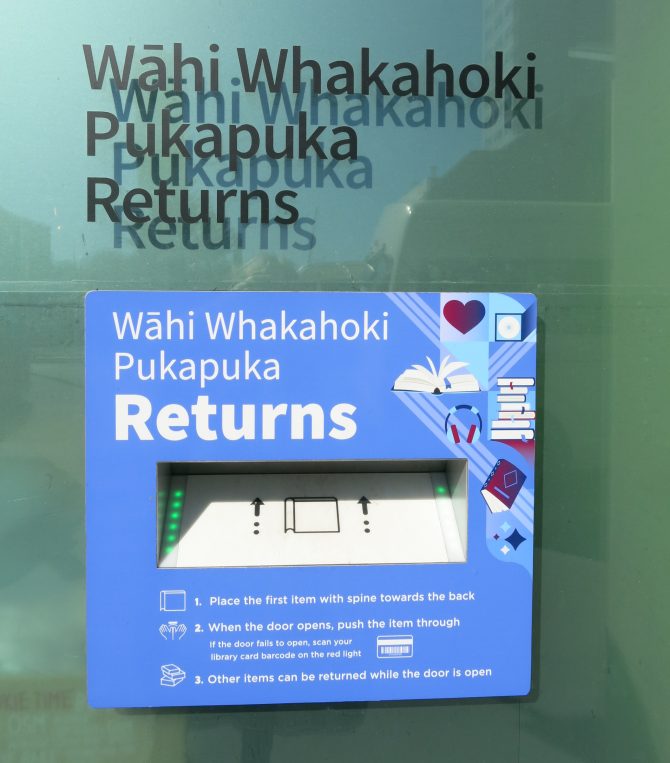
You may return your items to any library in the Christchurch City Libraries network, except the Mobile Library. Only items borrowed from the Mobile Library may be returned to it.
You can return your items at community libraries by using return slots or checking your books back in on our kiosks.
Tūranga also has both internal and external returns slots.