There is no charge for booking and using a library computer. Pharos is used for managing the booking and for payments for printing and copying.
If a public computer is available, you can walk up and log in using your library card or a visitor slip. If all the computers are in use then you can log into a Pharos Station to reserve the next available computer. You can ask a staff member to help you make a booking.
For library members, there is no limit to the number of sessions you can have if computers remain available. Visitor slips are available to non-members and allow a maximum of 30 minutes a day computer use.
Computer sessions are for a maximum of 60 minutes for library members and 30 minutes for visitors. Some libraries have shorter session time options available.
When you reserve a computer
- If you are more than five (5) minutes late for your session the computer becomes available for other customers.
- When your computer is available, your library card number will be displayed on the screen of that computer.
- Some locations will also have a queue screen showing you this information. You should check it to see when a computer is ready for you.
Warnings when your time is nearly done
While you are using the public computer, you will be given warnings when you have a short amount of time left:
- Ten minutes to go
- Two minutes to go.
If you are a library member, your computer session may automatically extend if no-one else is waiting to use the public computers. If the computers get busy, you will receive a two minute warning before your extended session ends.
Save your work
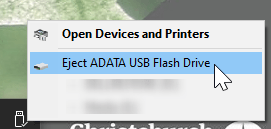
You must save your work before your session expires, or else it will be lost. Save online or to USB memory drives which are available to purchase at the library.


 or the
  symbol at the top right corner of the gallery app will give you further options of what you can do with the screenshot you have taken. You can usually email it from here, which will email it via your email app. If there is no email app set up, this will not be able to send.